

Roomkit · made by Theepa Studio
A 3D room planner any furniture store can add to its site.
Shoppers drop your products into a photo of their own room, turn them, change the finish and send the room to you. No app and no account, with nothing to install for the shopper.
- Framer plugin
- Any website
- 3D models + photo cut-outs
- Shopify cart
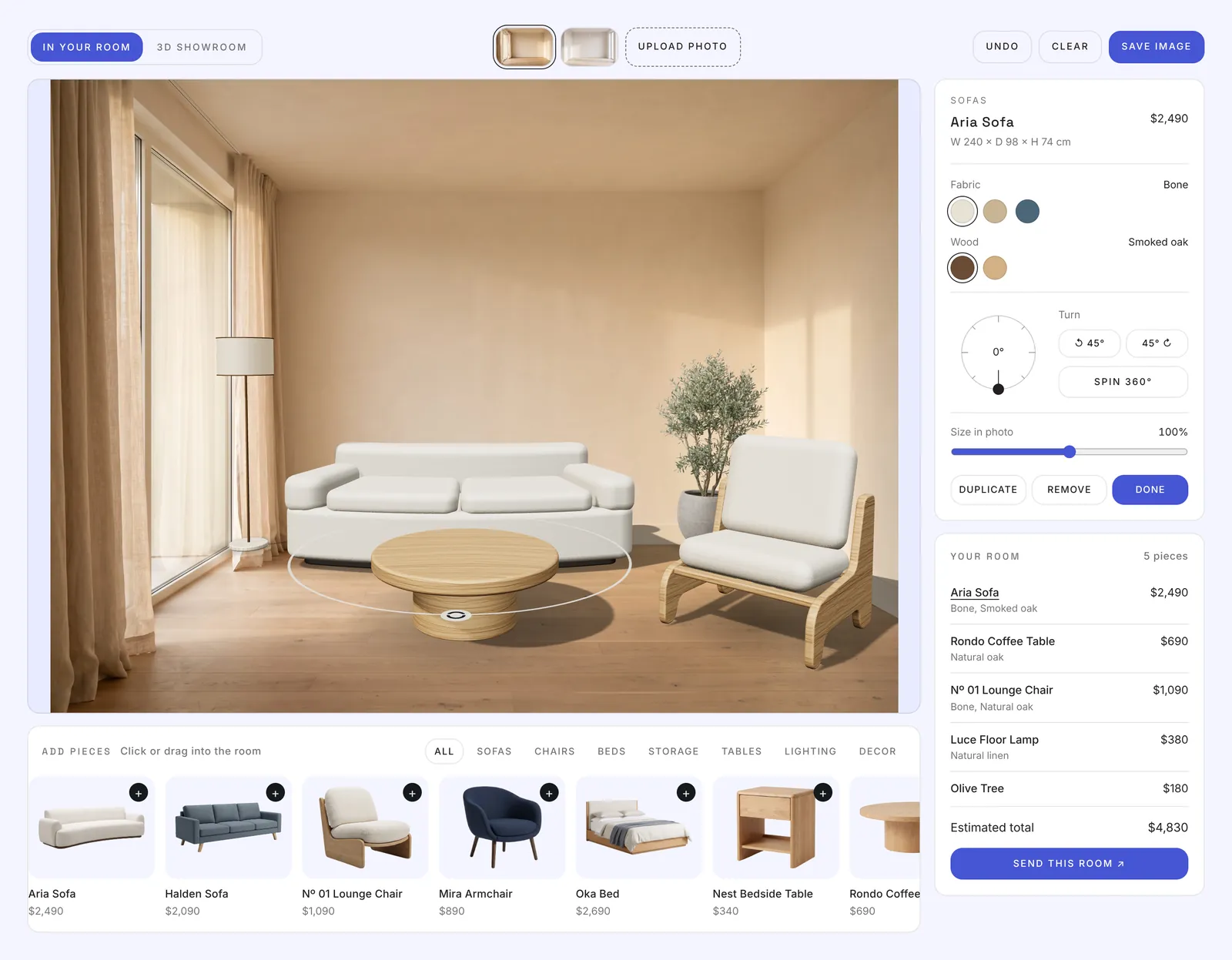
Short answer
Roomkit is a 3D room planner you add to a furniture store's website. Shoppers upload a photo of their room, place your pieces in it, turn them, change finishes and see the total, then send the room to you or add it to the cart. It comes as a Framer plugin with a code component, and as a single script for any other site, including Shopify, WordPress, Webflow, Wix and Squarespace.
01 · Overview
From one client site to a product any store can buy.
Roomkit started as Room Studio, a feature we built for the Relox furniture website. Visitors kept using it the same way: they placed a sofa, turned it and asked for a quote. So we pulled it out of Relox and rebuilt it as a stand-alone product.
The engine now takes any catalogue, works with any brand's colours and fonts, and installs as a Framer plugin or one script on any other website.
- 1 file
- about 217 KB gzipped, three.js included
- 3 ways
- to show a product: GLB, photo cut-out, demo model
- 5 actions
- for the send button: page, email, cart, webhook, event
- Any site
- Framer, WordPress, Shopify, Webflow, Wix, HTML
- Product
- Roomkit 1.0
- Made by
- Theepa Studio
- Ships as
- Framer plugin + code component · universal web embed
- Built with
- three.js · Web Components · Framer Plugin API
- Year
- 2026
02 · The problem
Shoppers can't picture a sofa in their room, and most AR tools ask too much of a small store.
Typical visualisers need an app, a monthly subscription and a 3D model for every product. Small furniture brands have none of these. They need something they can switch on today, with the photos they already have.
- 1
Works on any website
One script tag, or a Framer plugin. Shadow DOM keeps it from clashing with the store's theme.
- 2
Shows any product
Real 3D models when a store has them, photo cut-outs when it doesn't, so no store is blocked by missing 3D files.
- 3
Looks like the store
Colours, fonts, corner radius, currency and every label can be changed, so it feels built in, not bolted on.
03 · How it works
One engine, three ways in, five ways out.
Catalogue in
Framer plugin
Products, rooms and finishes managed in a panel
catalog.json
One file for WordPress, Shopify, Webflow and HTML
CMS import
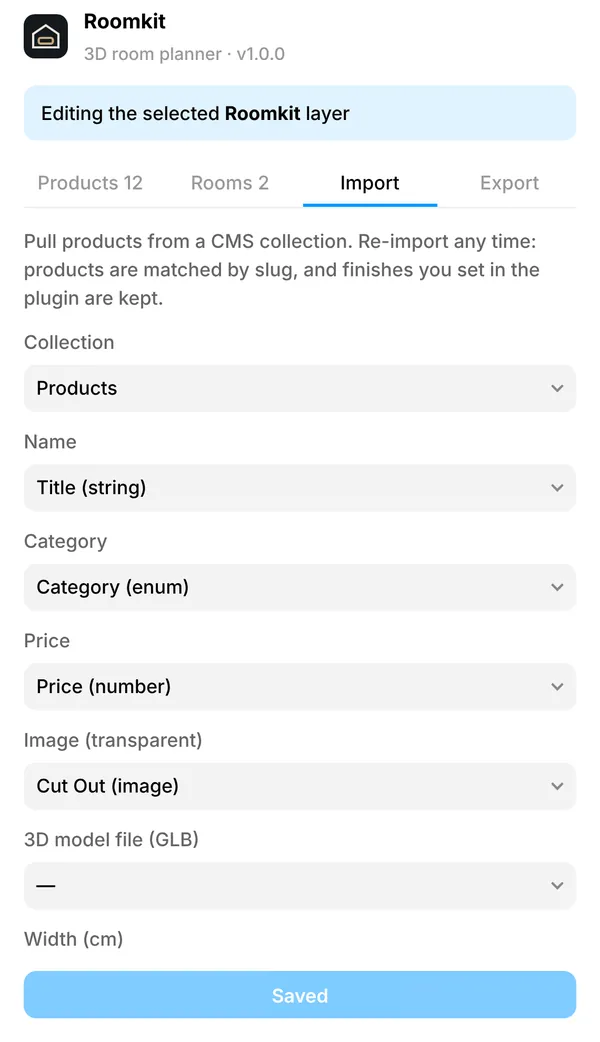
Map Framer CMS fields once, re-import any time
Roomkit engine
three.js scene, photo matching, GLB loader, photo cut-outs and the inspector, all in a shadow DOM
What the shopper does
01Pick a room
A sample room or their own photo
02Place and turn
Drag in, pull the ring to rotate
03Finish
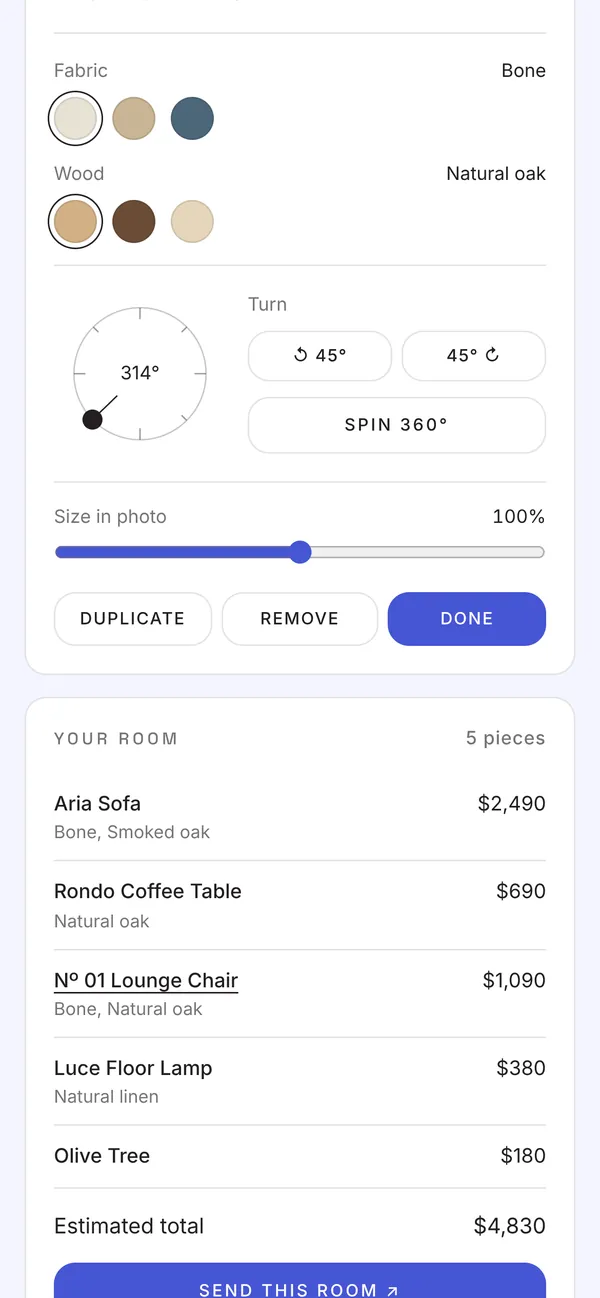
Fabrics, woods, live total
04Send
To the store, with the total
The send button can
- Open a page
- Shopify cart
- Webhook
- JS event
Shadow DOM
The store's theme can't break the planner, and its CSS never leaks out.
Draws only when needed
It renders on change and pauses off screen, so it stays light on phones.
Events and API
roomkit:send, change, add and save events, plus add(), setRoom() and snapshot().
04 · In the room
Place it, turn it, finish it, all in your own light.
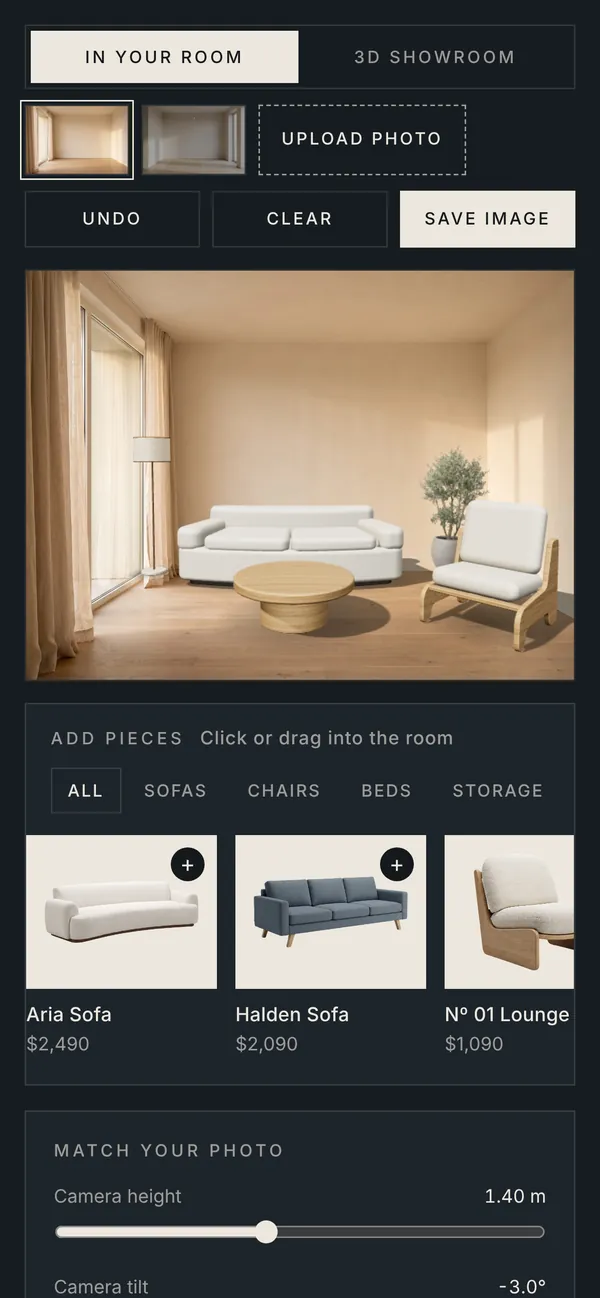
This is the real product running the demo catalogue: 12 pieces and two rooms. Camera height, tilt and lens line the floor up with any photo, and the sun and shadow sliders match the room's light. Upload a photo of your own room to try it; the photo stays in your browser.
Loading the 3D demo…
05 · Any product
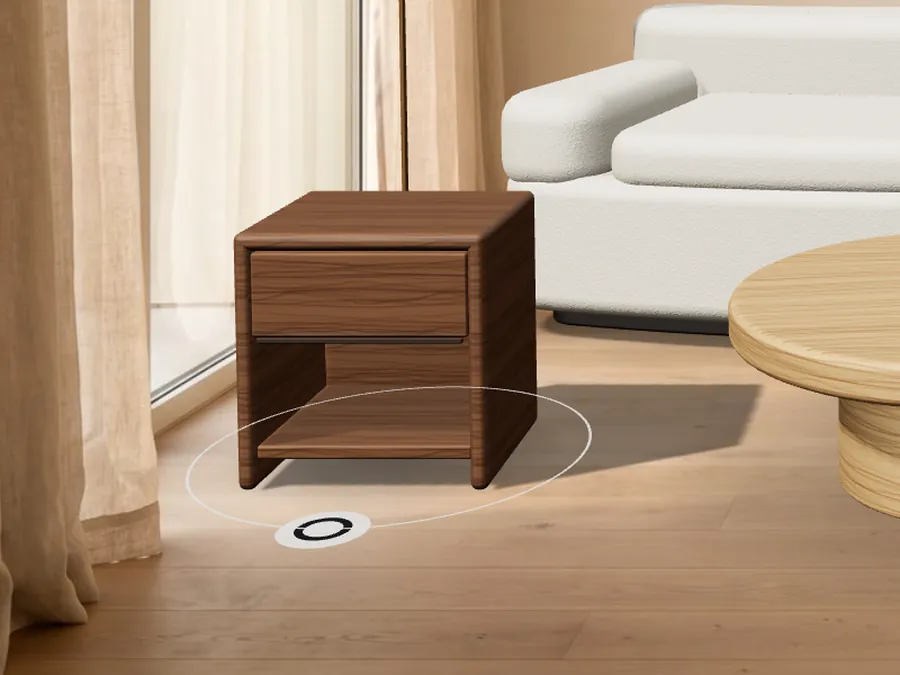
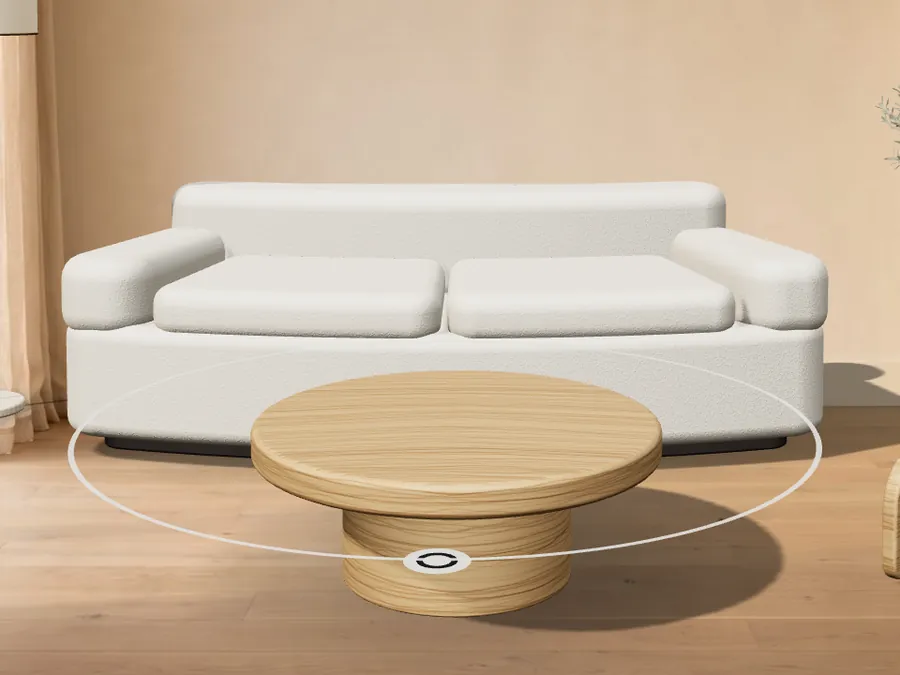
Three ways to show a product, so missing 3D files never block a launch.

06 · 3D showroom
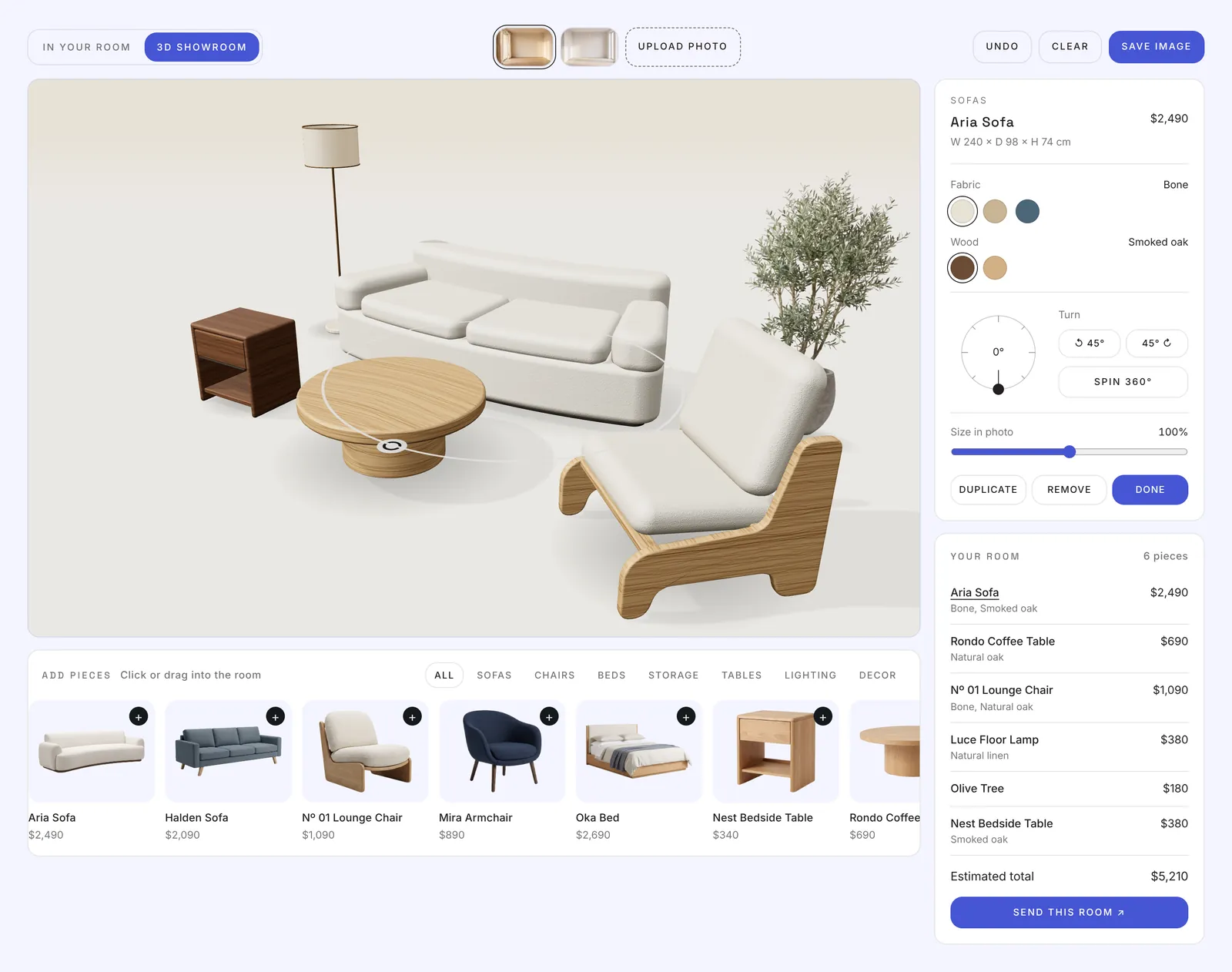
Walk all the way round the layout.
One click takes the same room into an orbiting 3D view. Every piece keeps its position, rotation and finish. A slow turntable makes a good shop-window loop.
07 · Brand it
It looks like the store, not like a plugin.
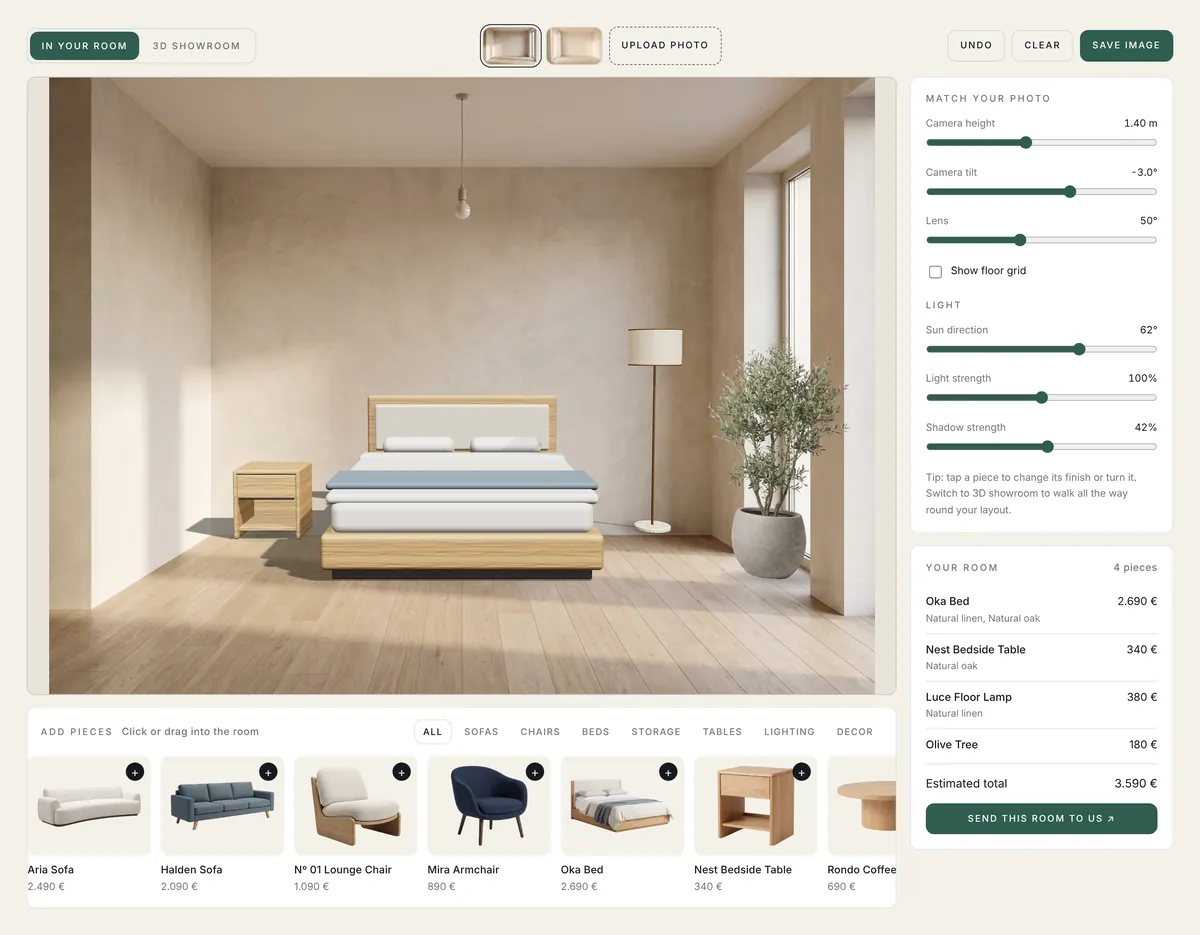
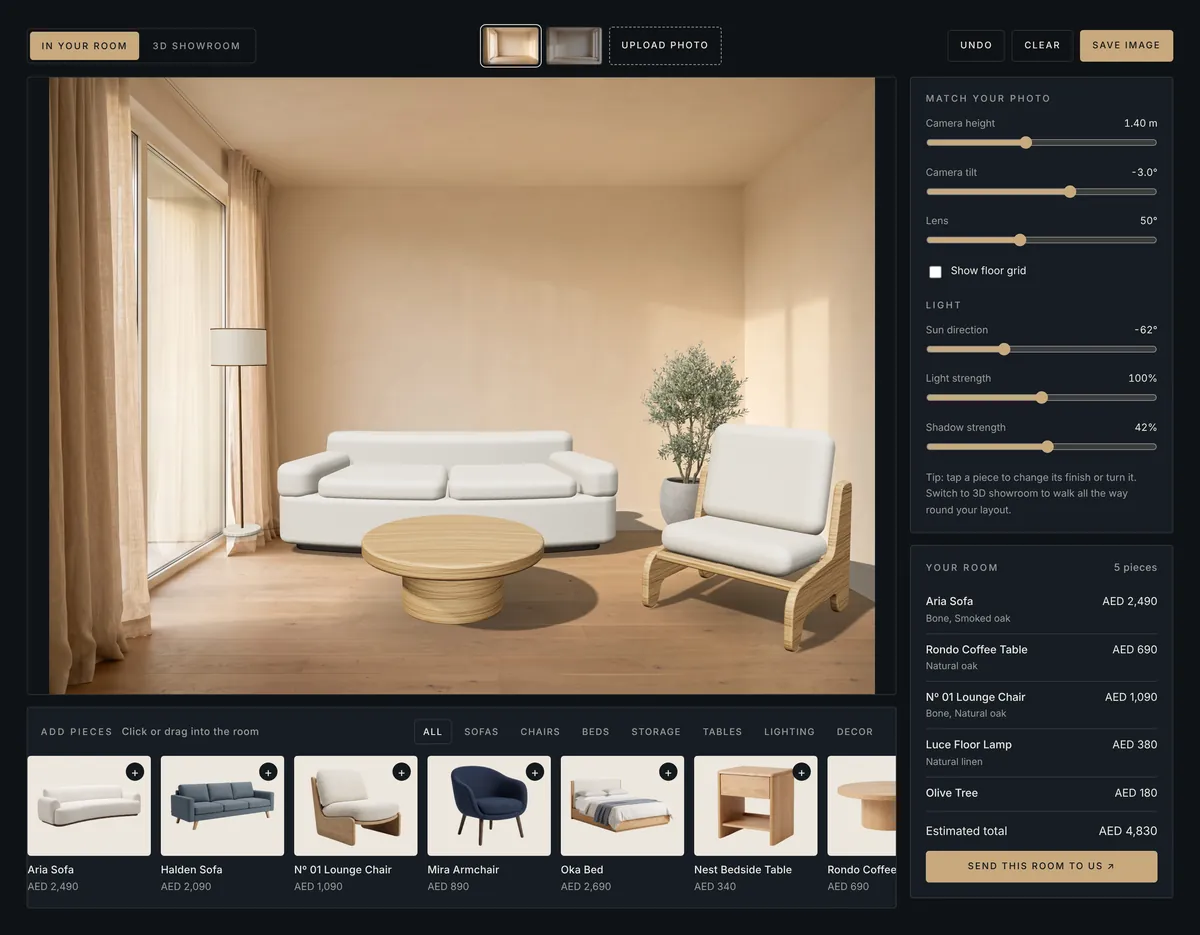
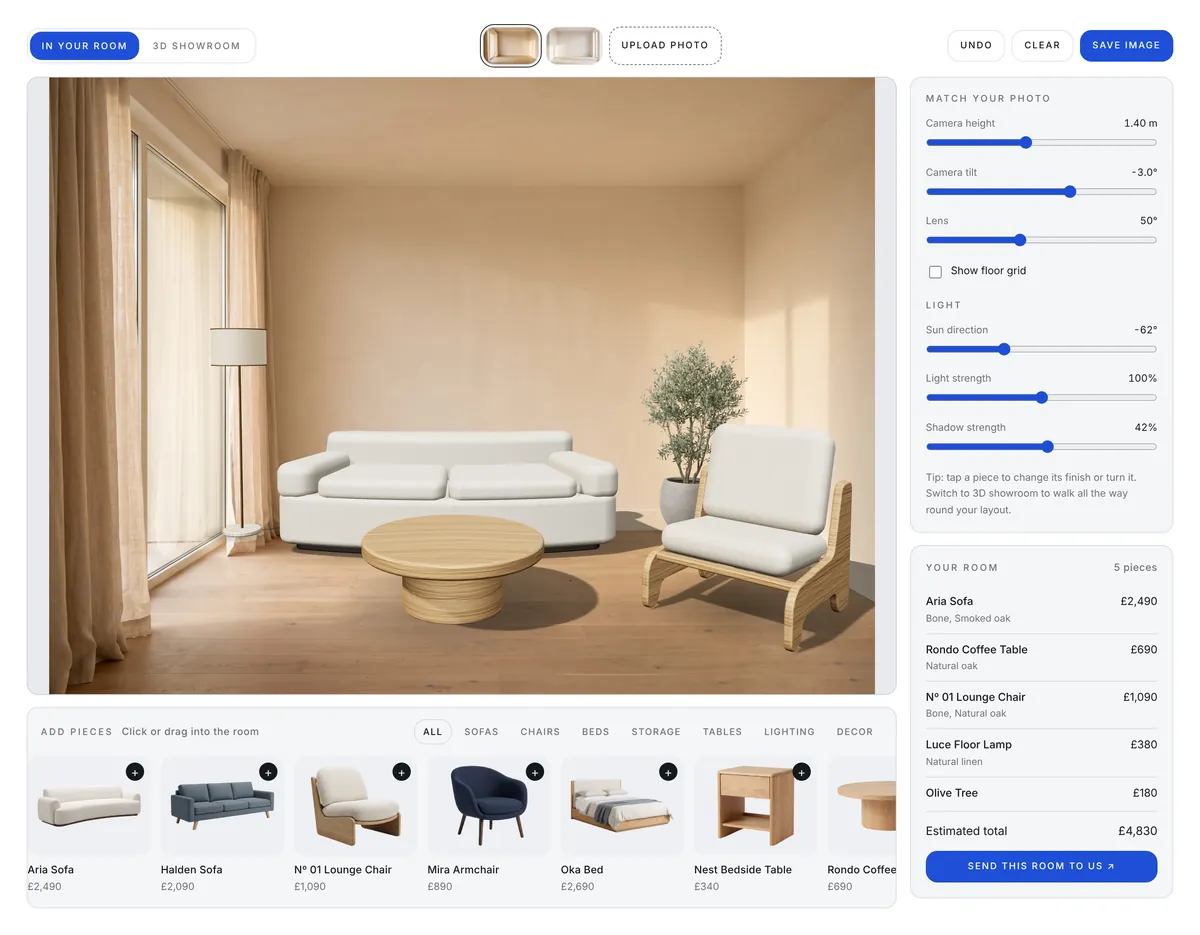
Theme, colours, font, corner radius, currency, locale and every label can be set, either in Framer's right panel or in catalog.json. The planner on this page uses Theepa Studio's colours.
08 · Framer plugin
A no-code manager, inside Framer.
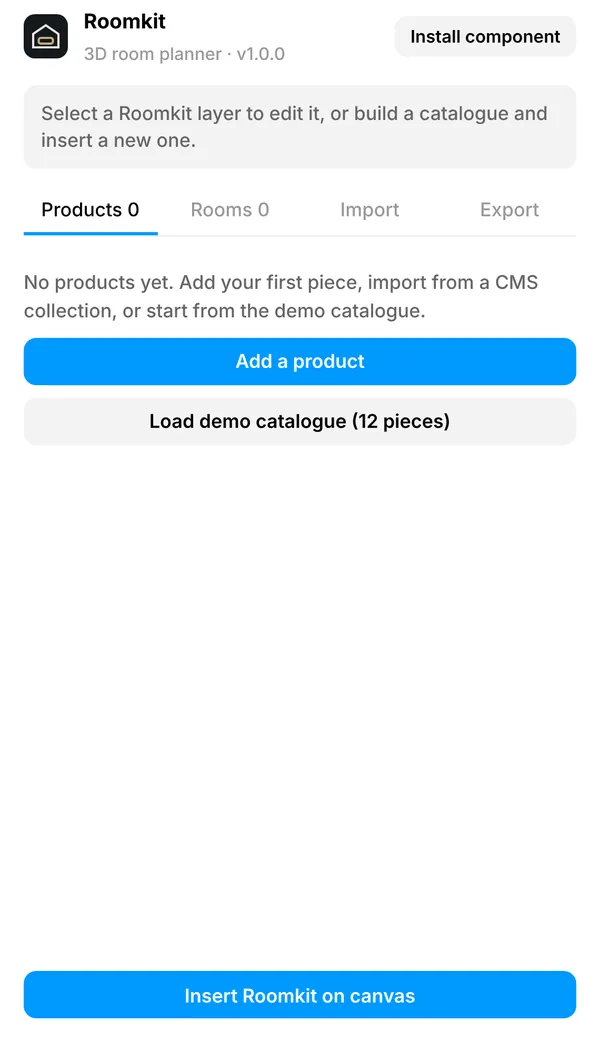
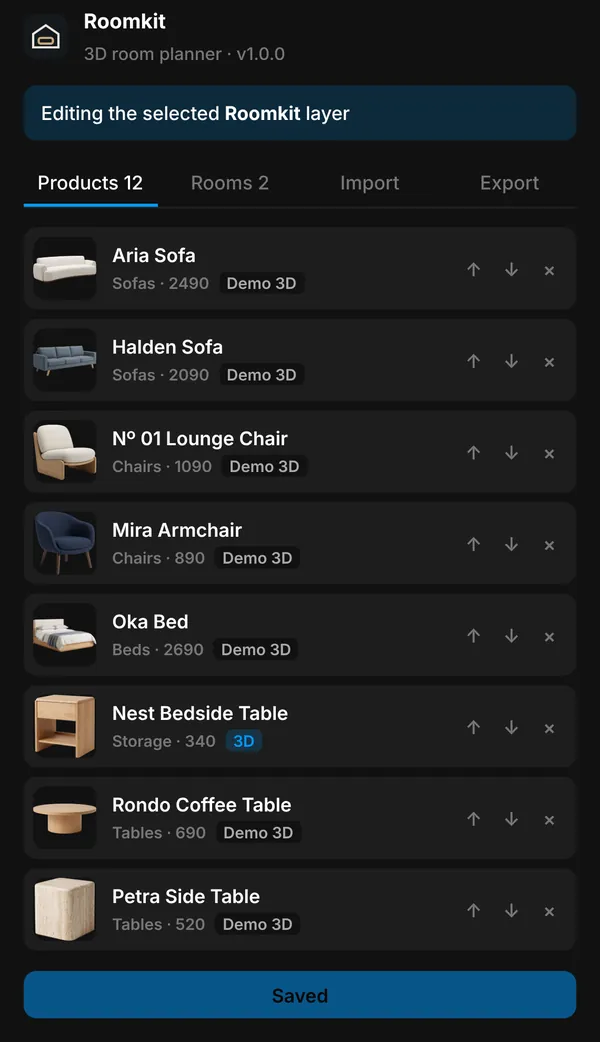
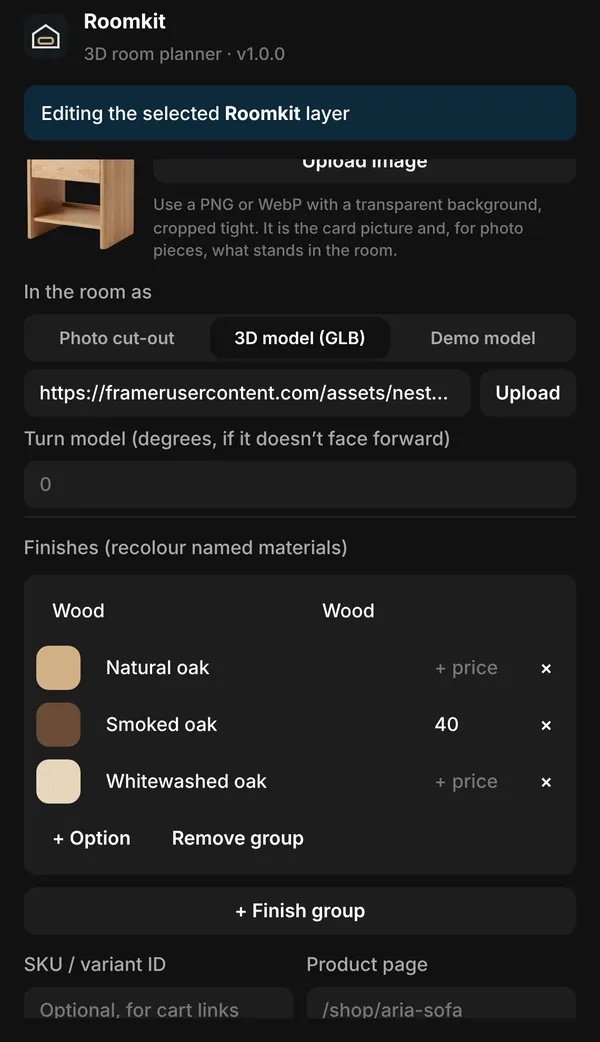
The plugin installs the component, uploads images and GLB files to the project, maps CMS fields and saves the catalogue to the selected layer. It follows Framer's light and dark themes.
09 · Any website
Two lines of HTML and one JSON file.
The same engine ships as a web component. For locked-down builders, an iframe page reports its height to the parent. The Framer plugin exports the same catalog.json, so one catalogue can run on several sites.
- WordPress
- Custom HTML block
- Shopify
- Custom Liquid + cart
- Webflow
- Embed element
- Wix
- iframe page
- Squarespace
- Code block
- Any HTML
- Script tag
<!-- 1. Where the planner goes -->
<room-kit config="/roomkit/catalog.json"></room-kit>

<!-- 2. One script, three.js included -->
<script src="/roomkit/roomkit.js" defer></script>
// catalog.json
{
"products": [{
"name": "Aria Sofa", "image": "aria.webp",
"model": "aria.glb", "width": 240, "sku": "44012345"
}],
"cta": { "action": "cart", "url": "/cart/{cart}" }
}10 · Phone
Built for thumbs too.
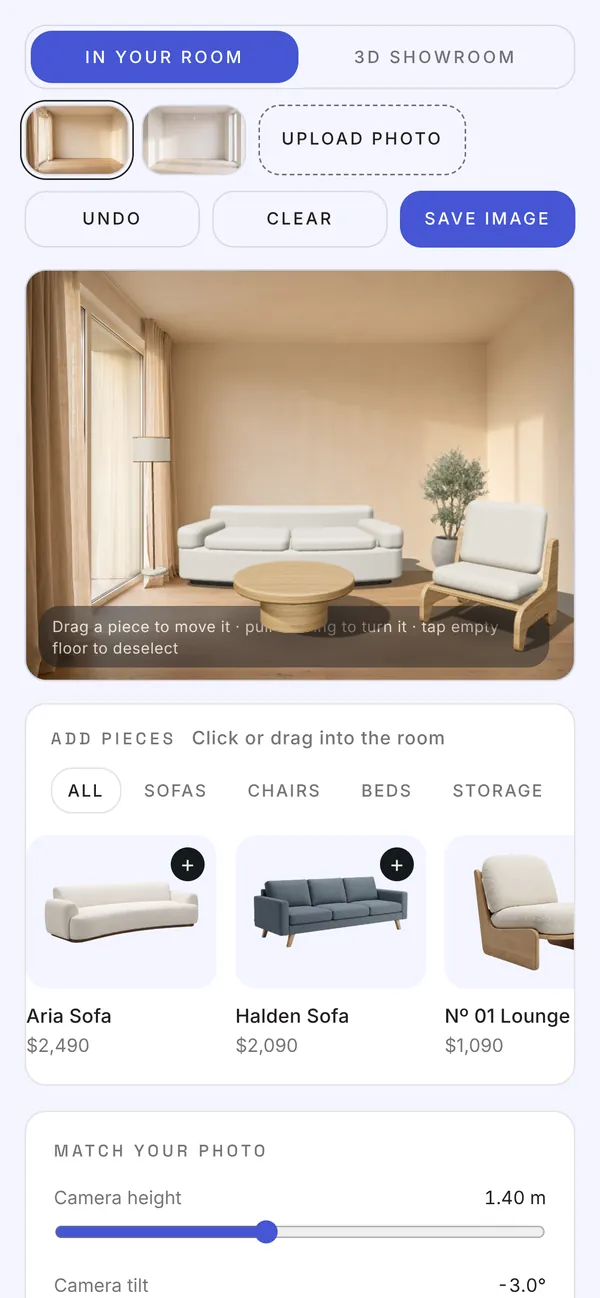
The layout follows the width of its container, not the window, so it fits a sidebar, a full page or a phone. Touch drag, pinch-zoom in the showroom and a photo picker that opens the camera roll.
Get Roomkit
Two editions, one engine.
Choose the edition for the platform you build on. Each comes with the demo catalogue, a setup guide and a licence for one website.
Roomkit for Framer
A Framer plugin and code component. Manage products, rooms and finishes without code.
- Framer plugin and Roomkit component
- Product, room and finish manager
- Import products from your Framer CMS
- Export the catalogue for other sites
Roomkit for websites
One script file with 3D built in. Works on any site that accepts custom code.
- roomkit.js, plus an ES module build
- An iframe page for locked-down builders
- Guides for WordPress, Shopify, Webflow, Wix and Squarespace
- Example catalogue, demo images and a sample GLB
Want it set up for you? We can install Roomkit on your store, model your best-selling pieces as GLB files and match it to your brand. Ask about setup
Questions, answered.
What is Roomkit?
Roomkit is a 3D room planner for furniture and interior stores, made by Theepa Studio. Shoppers place your products in a photo of their own room, change finishes, see the total and send the room to you or the cart.
Do I need 3D models of my products?
No. A transparent product photo is enough to place a piece in the room. Add GLB models later for the pieces where turning all the way round matters most.
Does Roomkit work with Shopify?
Yes. Add the script to a page or section, put each variant ID in the product's SKU, and set the send button to the cart. Shoppers then add the whole room to the Shopify cart in one go.
Does it work in Framer?
Yes. Roomkit for Framer is a plugin and code component. The plugin places the component on your page and manages products, rooms and finishes, and can import products from your Framer CMS.
Is it an AR app?
No. Roomkit runs in the web page on any phone, tablet or computer, with nothing to install. Shoppers use a photo of their room instead of the camera feed.
Will it slow down my site?
Roomkit is one file of about 217 KB gzipped and loads only on the page where you place it. It draws only when something changes and pauses when it's off screen.
Can it match my brand and language?
Yes. Colours, fonts, corner radius, currency and number format can all be set, and every piece of text can be replaced or translated.
Where are shoppers' photos stored?
Nowhere. Uploaded room photos stay in the shopper's browser and are never sent to a server unless you set up a webhook that includes the image.
What does the licence cover?
One website (one domain and its subdomains), for your own store or for one client. Bug-fix updates for version 1 are included.

Want Roomkit on your store?
A 30-minute call. We look at your brand and site together, and you leave with a plan and a fixed price, whether or not you hire us.